Hidden Content in SEO: What’s Allowed, What’s Spam, and How to Audit It
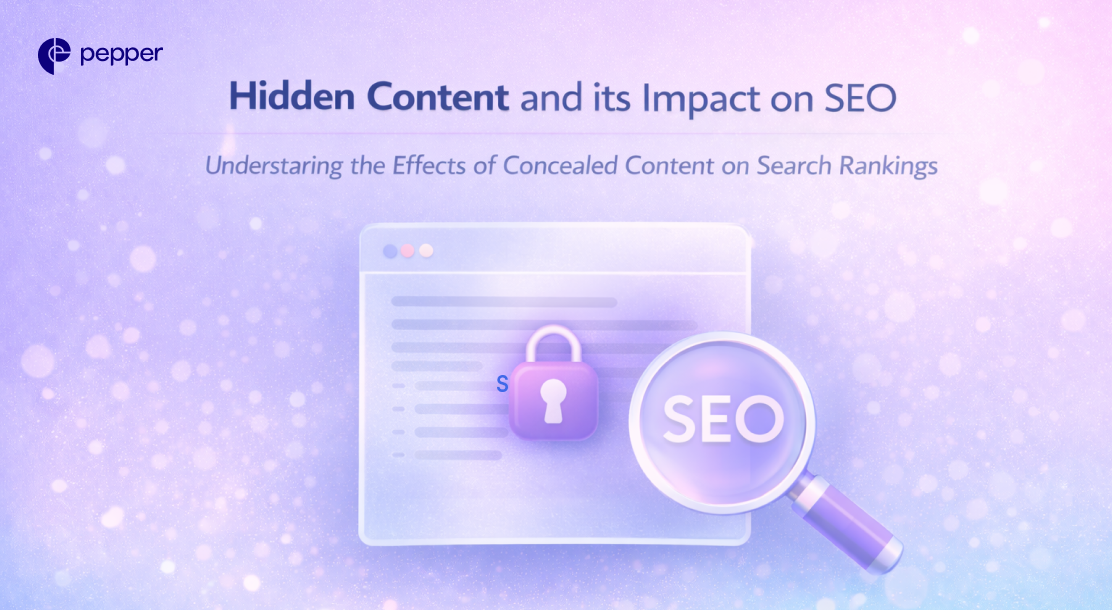
TL;DR
- Hidden text/link abuse = content hidden solely to manipulate rankings → violates Google spam policies.
- Cloaking (showing different content to users vs crawlers) is explicitly spam.
- UX hidden content (tabs/accordions) can be fine when it helps users—this is different from hidden spam.
- If you suspect hidden content, check CSS/positioning/opacity, tiny character links, and page source/DOM.
| Table of Contents – What Is Hidden Content? – A Quick History of Hidden Content – How Hidden Text Gets Hidden (Common Spam Patterns) – Impact of Hidden Content on SEO – When Marketers Should Use Hidden Content – How to Find Hidden Content on a Website |
What Is Hidden Content?
“Hidden content” can mean two very different things:
1) Hidden text/link abuse (spam)
Content or links are placed so humans can’t easily see them, primarily to manipulate search rankings. Google categorizes this as hidden text and link abuse.
2) Hidden content for UX
Content collapsed behind tabs/accordions, “read more,” or progressive disclosure—so the page is more usable, especially on mobile. This is generally acceptable when it’s for users, not for search manipulation.
| History of Hidden Content: In early SEO, hiding keyword blocks was a common trick. Today, Google’s spam policies explicitly document hidden text/link abuse and cloaking as violations, and enforcement can include ranking demotions or removal from the index in serious cases. |
How Can You Hide Web Page Text?
If you’re covering this topic responsibly, it’s best to frame it as “how spam patterns typically appear” (so marketers can audit and avoid them), not as a playbook.
Google lists common examples of hidden text/link abuse, including:
- White text on a white background
- Text hidden behind images
- CSS positioning text off-screen
- Font size or opacity set to 0
- Hidden links on tiny characters (like a hyphen in a paragraph)
Cloaking (separate, more severe)
Cloaking is showing different content to users and search engines with the intent to manipulate rankings. That’s explicitly against Google’s spam policies.
“Read more”/collapsed sections
This is where many older articles get it wrong: collapsing content for UX is not automatically spam. It becomes a problem when the intent is to deceive users or stuff ranking signals that aren’t meant to be read. Google’s policies focus on intent + manipulation.
Impact of Hidden Content on SEO
If Google interprets your implementation as hidden text/link abuse or cloaking, outcomes can include:
- Reduced rankings or omission from Search results (algorithmic demotion or manual action, depending on severity).
- Trust loss: even if you “get away with it” briefly, it’s fragile—one review, one update, one competitor report can crater the page.
In other words, hidden spam can look like a shortcut, but it’s usually a debt you repay with interest.
Why Should Marketers Use Hidden Content? (The Legit Reasons)
Hidden content is not inherently bad. It’s often a design pattern.
Use it when it improves usability, for example:
- Tabs/accordions for long FAQs, specs, comparisons (especially on mobile).
- Progressive disclosure (“read more”) to reduce clutter while keeping content available.
- Accessibility-driven UI patterns (where content is available to assistive tech and users intentionally reveal sections).
| Rule of thumb: if the hidden section is genuinely useful, clearly labeled, and easy for a user to access, you’re typically in “UX” territory—not “spam” territory. |
How to Find Hidden Content on a Website
Here’s a practical audit checklist:
1) Inspect the page visually (quick tells)
- Weird extra whitespace, suspicious spacing, or “ghost” selection when you drag-select.
- Tiny punctuation that seems clickable (Google explicitly calls out hidden links on small characters as an abuse example).
2) Use browser DevTools (Inspect Element)
Look for:
display:none,visibility:hiddenopacity:0,font-size:0- off-screen positioning like a huge negative
left/top - absolute-positioned blocks layered behind images
3) View page source vs rendered page
- “View Source” shows raw HTML (sometimes hidden blocks live here)
- “Inspect” shows the live DOM after JavaScript runs (important for modern sites)
4) Check for cloaking symptoms
If users and crawlers get different content, that’s cloaking territory (high risk).
5) Use Google-side signals if you own the site
- Look for Manual Actions and indexing issues in Search Console (manual actions happen when reviewers confirm spam policy violations).
Hidden Content in the AI Search Era (GEO angle)
In AI-led discovery, trust compounds. Spam patterns like hidden keyword blocks don’t just risk Google penalties—they can also degrade how your brand is perceived across AI answers, summaries, and recommendations.
Meanwhile, UX-friendly structuring (clean headings, collapsible FAQs, clear definitions) often helps AI systems extract and reuse your content more accurately.
If you’re optimizing for modern discovery, the hard part isn’t just avoiding spam—it’s knowing whether your content is actually earning visibility and trust across Google and AI platforms.
Atlas can help you track brand mentions, citations, share-of-voice, and theme-level visibility across AI search surfaces so you can see what’s working—and what’s invisible.
FAQs
1) Is hidden content always bad for SEO?
No. Hidden content is only a problem when it’s hidden to manipulate rankings or deceive users (e.g., hidden keyword blocks, hidden links). UX-driven hiding—like accordions, tabs, and “read more”—is generally fine when it improves usability and the content is genuinely available to users.
2) What’s the difference between hidden content and cloaking?
- Hidden content (UX): Same content is available to users, just collapsed or revealed on interaction.
- Cloaking: Users and Google are shown different content, typically to game rankings. Cloaking is explicitly considered spam.
3) Can “Read More” or accordion content hurt rankings?
By itself, usually no. It becomes risky if the hidden section is stuffed for SEO (keywords/links users won’t reasonably see) or implemented in a deceptive way. If it’s useful, clearly labeled, and easy to access, it’s typically a normal UX pattern.
4) What are the most common examples of hidden text/link abuse?
Common red flags include:
- Text that matches the background color
- Content positioned off-screen
- CSS hiding like
display:none/visibility:hidden/opacity:0 - Hidden links on tiny characters (punctuation/single letters)
5) How do I check if my site has hidden content (quickly)?
A fast audit:
- Drag-select the page to reveal “invisible” text
- Open DevTools → Inspect and check suspicious CSS (display/visibility/opacity/positioning)
- Compare View Source vs Inspect (live DOM) to catch JS-inserted content
- If you own the site, check Search Console for manual actions/indexing warnings
Latest Blogs
This blog focuses on 12 of India’s top content writing services.
According to the Content Marketing Institute, one of the most effective ways to promote a business is via good content. At least half of all marketers either are or are planning to use content to reach their customers.
Get your hands on the latest news!

Similar Posts

Content
4 mins read
Best Content Writing Companies in India: 12 Options + Selection Checklist

Blogging
3 mins read
Guest Blogging in 2026: How to Get Published + 60+ Guest Posting Sites
Content
4 mins read