Bing Copilot: Your Computer’s New Helper Friend
Remember when you had an imaginary friend who would help you with anything? Bing Copilot is kind of like that, except it’s real and lives inside your computer. You can ask it questions, and it answers by looking things up on the internet super fast.
What is Bing Copilot? (The Simple Version)
Bing Copilot is a smart computer helper that understands when you talk to it normally. You don’t need special robot language. Just type or say what you want, and it figures it out. Microsoft made it, and in November 2023, they changed its name from “Bing Chat” to “Microsoft Copilot.” It’s the same helpful friend, just with a new name tag.
Think of it like this: If your brain is a library, Copilot is like a really fast librarian who knows where every book is. Ask a question, and it runs around grabbing information from different shelves (websites), then explains everything in a way you can understand.
How Does Bing Copilot Work?
When you type a message to Copilot, you’re giving it a job. Microsoft calls these messages “prompts.” Every prompt can have four parts, but you only need one: your goal. What do you want?
Here’s an example. Say you type: “Tell me about dolphins.” That’s your goal. Copilot searches the web, reads information from different websites, and writes you an answer mixing facts from those places. If you want to be fancy, you can add more details: “Tell me about dolphins [goal] because I’m writing a school report [context] in simple words [expectations] using science websites [source].” But the basic version works fine too.
Copilot runs on something called generative AI. That means it was trained by reading tons of stuff, then uses that training to create new answers just for you. It doesn’t copy-paste. It understands what you need and builds a fresh response each time.
Why Does Bing Copilot Matter?
Copilot saves you from doing homework the hard way. Instead of opening ten browser tabs and reading everything yourself, you ask one question and get a summary. It’s helpful for research, creative projects, or just satisfying your curiosity when you wonder random things at 2 AM.
For example, a student might ask Copilot to explain photosynthesis before a test. A parent might ask it for dinner recipe ideas using only chicken and rice. A writer might ask it to brainstorm character names. It handles lots of different jobs because it can access and understand information from all over the internet.
Bing Copilot at a Glance
| Feature | Details |
| Original Name | Bing Chat (rebranded November 2023) |
| Current Name | Microsoft Copilot |
| What It Does | Answers questions, creates content, helps with tasks |
| How You Talk to It | Natural language (just regular talking or typing) |
| Required Prompt Part | Only the goal (what you want); everything else is optional |
| Target Users | Individual people, not big companies |
| Replaced This | Microsoft Cortana virtual assistant |
Real-World Examples
Trip Planning: You’re going to the zoo tomorrow. Ask Copilot, “What animals are at the San Diego Zoo?” It searches zoo websites and tells you about pandas, elephants, and polar bears all in one answer.
Homework Helper: Your kid asks, “What’s the difference between frogs and toads?” You type that into Copilot, and it explains the differences (frogs have smooth skin, toads have bumpy skin) using information from nature websites.
Creative Writing: You need a name for a brave knight character. Type “Suggest knight names” and Copilot generates options like Sir Aldric or Lady Seraphina by combining patterns it learned from medieval stories.
FAQs
Q1: What was Copilot called before?
It was called Bing Chat. Microsoft renamed it to Microsoft Copilot in November 2023 to match their other Copilot products.
Q2: Is Bing Copilot the same as Microsoft 365 Copilot?
No. Bing Copilot helps individual people with everyday tasks. Microsoft 365 Copilot is designed for workers at big companies to use inside Office apps.
Q3: Do I need to write fancy instructions to use it?
Nope. Just tell it what you want. You can add extra details if you want better results, but the basic version works perfectly fine.
Q4: What happened to Cortana?
Microsoft Copilot replaced Cortana as Microsoft’s main virtual assistant. Cortana is being phased out.
Wrapping Up
Bing Copilot is your go-to helper when you need quick answers or creative ideas. It reads the internet for you and explains things in regular words. Simple as that.
Latest Blogs
AI search optimization has four cost layers and only one of them has a price you can look up. Software is published, comparable and the cheapest. Agency retainers are published by exactly two firms. Earned media, which drives most AI citations, is priced by almost nobody. And the fourth layer, doing it with your own people, turns out to have no market rate at all. A study of 3,900 SEO job listings found that just 6.3% of senior roles mention AI search, and published salary figures for the same job title differ by 76% between sources.
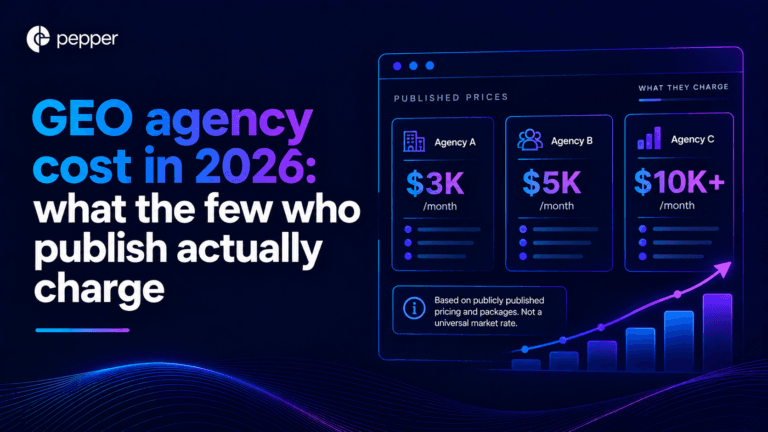
We re-read every published GEO agency price on 25 September 2026, fifteen days after our own benchmark first recorded them. All four held, which is worth knowing on its own because the software side of this market has been withdrawing prices all quarter. The more useful finding came from the one agency that publishes volumes alongside price. Ten blog articles at $3,000 a month and forty at $8,000 works out at $300 and $200 an article. That is a content production contract with a GEO label, and the citation evidence says content you own accounts for a small minority of AI citations.
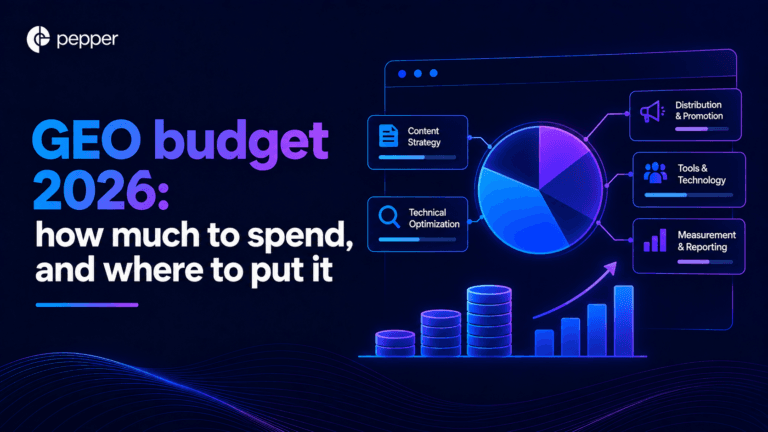
Our own benchmark of 30 published prices already answers what GEO costs. This answers the different question, which is what you should budget and where it should go. Two numbers decide it. A study of more than 25 million cited links found earned media drives 84% of AI citations while paid and advertorial content drives 0.3%. And the Gartner CMO survey of 401 CMOs puts marketing at 7.8% of revenue with SEO the largest single line inside owned and earned digital. Put those together and the answer is that GEO is not a new budget line at all. It is a reallocation, and most teams are making it in the wrong direction.
Get your hands on the latest news!

Similar Posts

GEO / AI Search
16 mins read
AI search optimization cost: the four layers, and the one with a price
GEO / AI Search
16 mins read
GEO agency cost in 2026: what the few who publish actually charge
GEO / AI Search
16 mins read