User-Agent Allowlisting: The VIP List for Your Website
Remember going to a birthday party where only kids with invitations could come in? User-Agent Allowlisting works the same way, but for robot visitors to your website.
What is User-Agent Allowlisting? (The Simple Version)
User-Agent Allowlisting is when you tell your website, “Only these specific robots can come in and look around.” Think of it like having a bouncer at a club with a special list of names. When a robot (called a “bot” or “crawler”) wants to visit your website, it announces its name using something called a user-agent string. If that name is on your approved list, the robot gets in. If not, it gets turned away.
Here’s the catch: these robots write their own name tags. There’s no ID checker to prove they are who they say they are. A sneaky robot could write “GoogleBot” on its name tag even if it’s not really Google’s robot.
How Does User-Agent Allowlisting Work?
When a bot visits your website, it says something like, “Hello, I’m GPTBot from OpenAI.” Your website checks its list to see if GPTBot is allowed in.
You create this list in a few ways. One method uses a file called robots.txt that sits on your website like a rulebook at the front door. You can write rules that say “GPTBot: allowed” and “Random-Scraper-Bot: blocked.” Another method happens at the server level, where your website’s computer checks each visitor before showing them anything. Some platforms like Cloudflare give you a visual dashboard with dropdown menus to pick which bots get in, making it as easy as checking boxes on a form.
The asterisk (*) symbol in robots.txt means “everyone” – it’s like posting a sign that says “all robots must follow this rule.”
Why Does User-Agent Allowlisting Matter?
You might want Google’s search crawler to visit your site so people can find you on Google. But you might not want an AI company’s crawler scraping your content to train their chatbot without permission. User-agent allowlisting helps you choose.
Without this control, any robot could walk in and copy everything on your website. Some might use your content to make money or train AI systems you don’t support. By creating a guest list, you protect your content while still welcoming the helpful bots you actually want.
User-Agent Allowlisting at a Glance
| Feature | Details |
| What It Controls | Which bots can access your website content |
| Where You Set It | robots.txt file, server settings, or platforms like Cloudflare |
| How Bots Identify | Self-declared user-agent strings (like name tags) |
| Security Level | Moderate – bots can fake their identity |
| Common Uses | Blocking AI scrapers while allowing search engines |
| Universal Rule | Asterisk (*) applies rules to all visitors |
Real-World Examples
Cloudflare’s AI Crawl Control shows you a dashboard where you can see which AI crawlers are knocking on your door right now. You pick from a dropdown menu to allow or block each one individually.
OpenAI uses different user-agent names for different jobs. When ChatGPT needs to fetch a webpage you asked about, it announces itself with a specific user-agent string. When their training systems crawl the web, they use a different name.
Netlify built a system using configuration files and Edge Functions (special code that runs before showing your website) to stop AI bots from scraping content. It’s like having a security guard who checks every visitor before they even reach your front door.
FAQs
Q1: What does user-agent * mean in robots.txt?
The asterisk (*) is a wildcard that means “everyone.” When you write a rule with user-agent *, you’re making a rule that applies to all bots visiting your site, no exceptions.
Q2: Can bots lie about who they are?
Yes. User-agent strings are self-declared, meaning bots write their own name tags. There’s no cryptographic verification system to prove a bot is really who it claims to be, so sneaky bots can pretend to be trustworthy ones.
Q3: How can I see which bots are visiting my site right now?
Some platforms like Cloudflare offer visual dashboards that show you exactly which AI crawlers are accessing your website. You can also check your server logs, though that requires more technical knowledge to interpret.
Q4: What are the main ways to block unwanted bots?
You have three main options: editing your robots.txt file to set access rules, configuring server-level permissions, or using platform tools like Cloudflare’s AI Crawl Control that give you point-and-click bot management.
Wrapping Up
User-agent allowlisting puts you in the driver’s seat for who gets to visit your website. Just remember: while honest bots will respect your rules, the sneaky ones might try to slip past by wearing disguises.
Latest Blogs
Engines answer the same question differently each time, so every AI search tracking number is a sample with an error bar. Nobody in this category publishes that error bar. We worked it out from published tracking frequencies, and the result inverts the obvious assumption: moving up a tier buys you more prompts, not more confidence in any one of them. The number most teams act on weekly is the least reliable number the tool produces.
The short answer Fifteen tools, grouped by the three jobs people actually buy for, with every price re-read on 22 September 2026. Two things matter more than the rankings. First, this category rots fast: of the eight external tools on our own August list, two have withdrawn published pricing, one has changed its product line […]
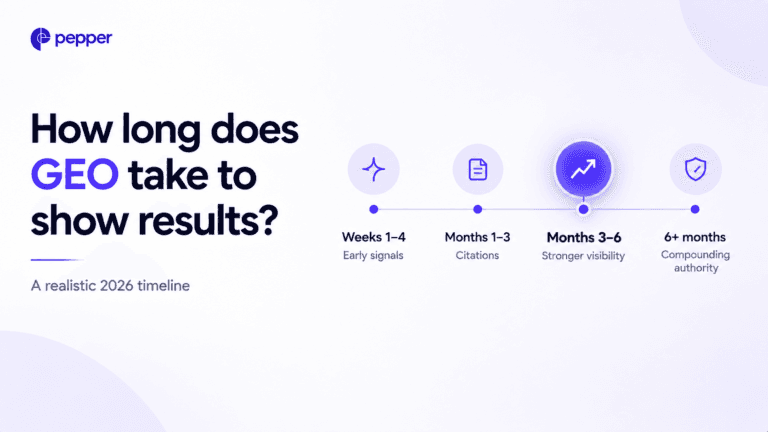
Nobody has published a credible GEO timeline, and the ones being sold are borrowed from SEO. Here is what actually gates the clock, which parts move in days, and what to promise your board instead.
Get your hands on the latest news!

Similar Posts
GEO / AI Search
17 mins read
Best AI tools for SEO in 2026: 15 tools across research, content and tracking
GEO / AI Search
10 mins read
How long does GEO take to show results?
GEO / AI Search
22 mins read