

Agents and the agent builder
Turn a one-off job into a re-run.
An agent is a saved piece of content or SEO work. You set the inputs, the steps and the output format once, then anyone on your team can run it on new inputs, whether that's one URL or five hundred.
Every agent is versioned
Publishing creates a version. old run stay pinned to the one that made them.
System agents
Ship with pepper for the work every content team already does.
User agents
Cloned or built by your team, and yours to edit.
New workflow
Describe the job in plain language and pepper assembles it.
If you want something done right, do it once.
Your team already knows how to write a brief, audit a page and rewrite a title tag. They do it from memory, dozens of times a quarter, slightly differently each time. An agent saves that process once, so every run produces the same shape of output and anyone on the team can start one.
How it works
Three parts, whatever the job.
Every agent in Pepper is a small workflow built from the same pieces. Here's what each one holds.
Part
What it HOLDS
WHY IT MATTERS
01
Inputs
What the agent starts with. A topic, a URL, a keyword, or data pulled from Analytics, Search Console or your CMS.
The same starting point on every run.
02
Processing
One or more AI and data steps, where the output of each becomes the input of the next.
Where the prompts and the logic sit.
03
Outputs
A document, structured data, an export, or a row in a sheet, depending on how the agent is set up.
The same format every time, so fifty runs are comparable.
Prompt vs. agent
A one-off prompt is a conversation you end up having again next week. An agent saves the recipe for that conversation, with the data sources, instructions and formatting already wired up, so the next hundred runs all start from the same place.
Inside the dashboard
Five views of the same data.
Pick a view to see what it shows. Each one reads from the same daily prompt runs.
01
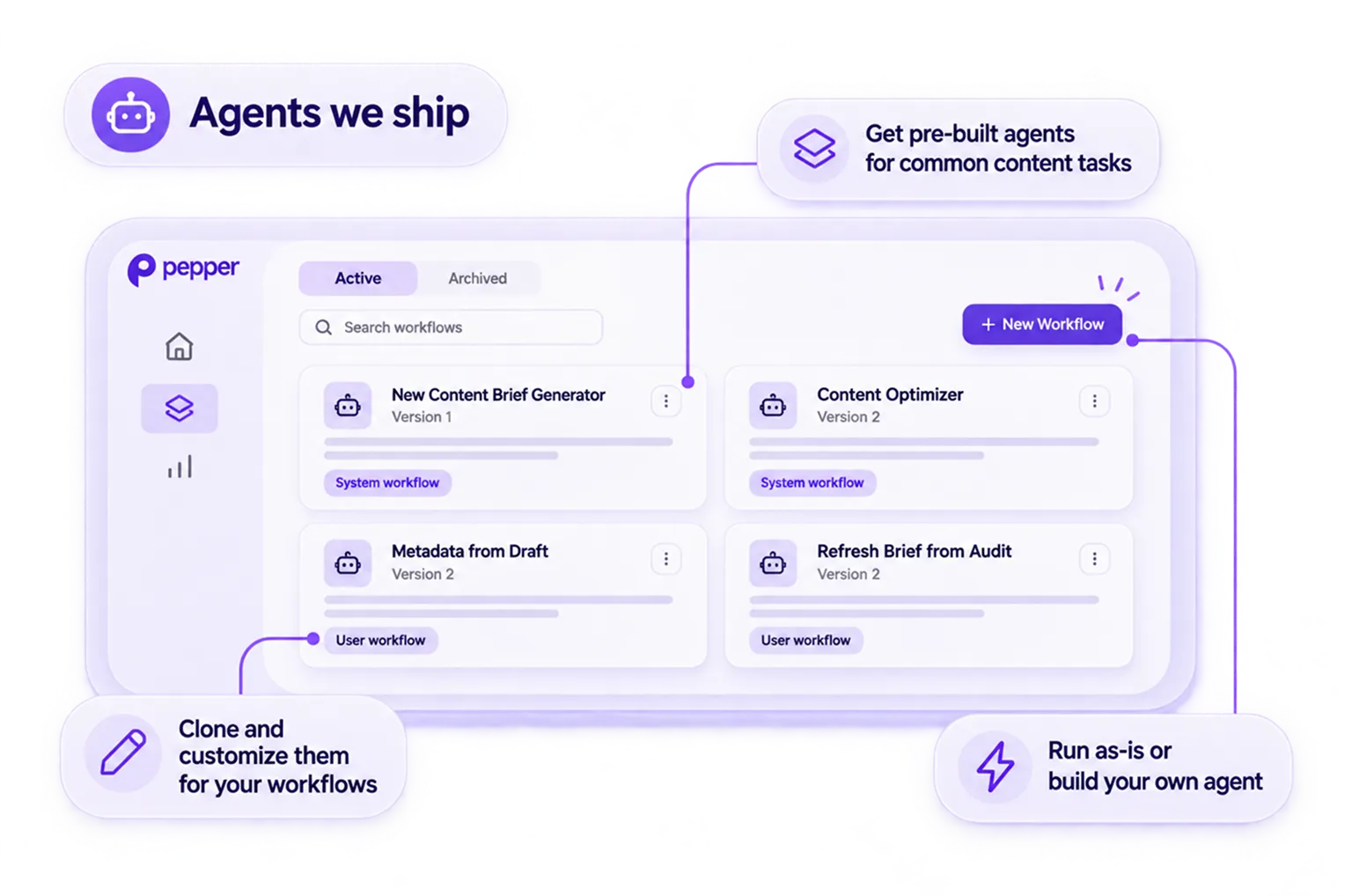
Start with the agents we ship
Never start from an empty canvas.
Pepper ships system agents for the work every content team already does, like new briefs, refresh analysis, page optimisation, bulk metadata and competitor research. Run one as it is, or clone it and make it yours. Cloning is how most teams get their first custom agent.
02
Run one, or run five hundred
One input, or a sheet with a row each.
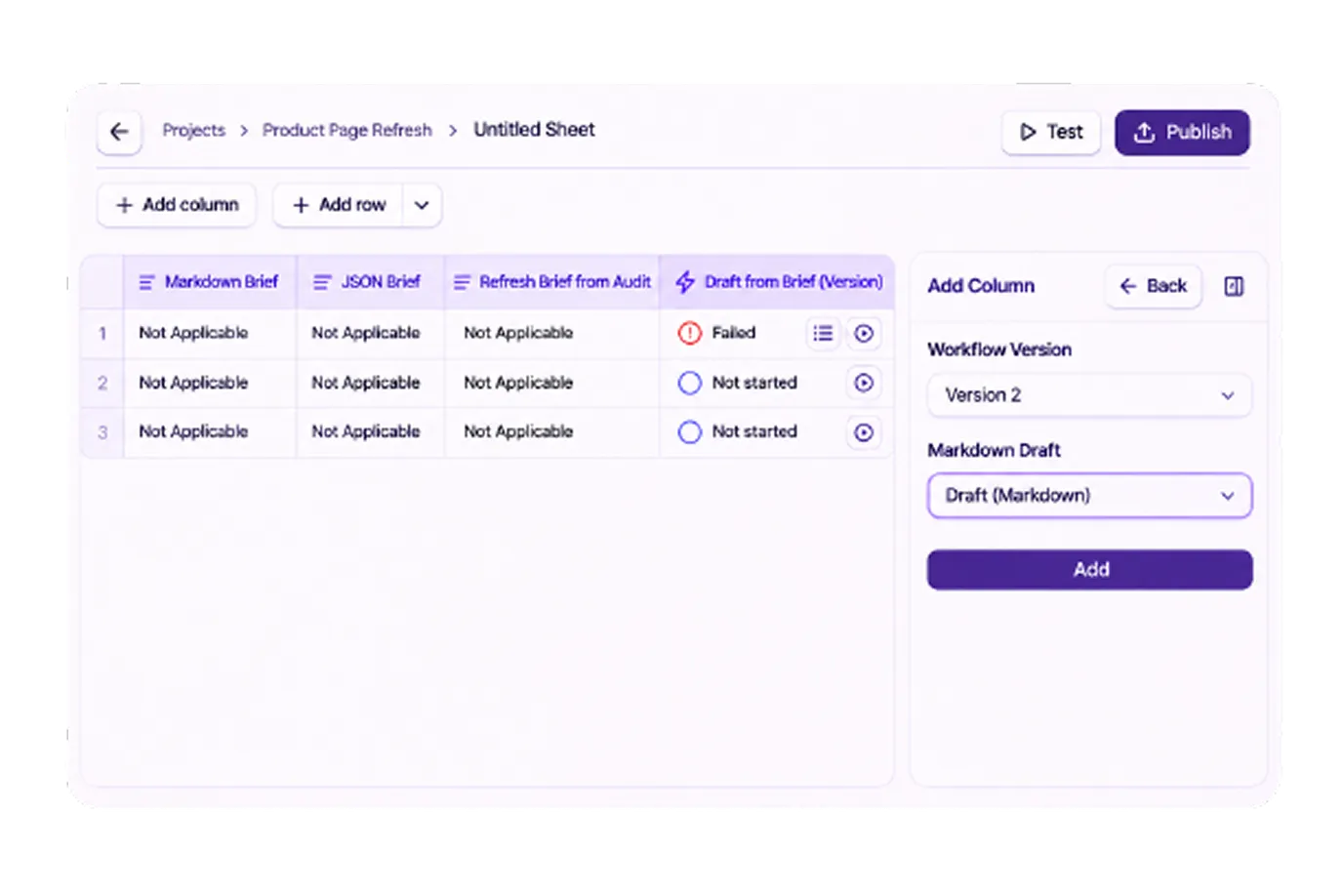
A quick run takes a single URL and shows the result inline. A sheet run gives you a spreadsheet with a column for each input, one for the agent and one for each output, and it fills in as rows complete. Past about five inputs, use a sheet. You can close the tab while it runs.
03
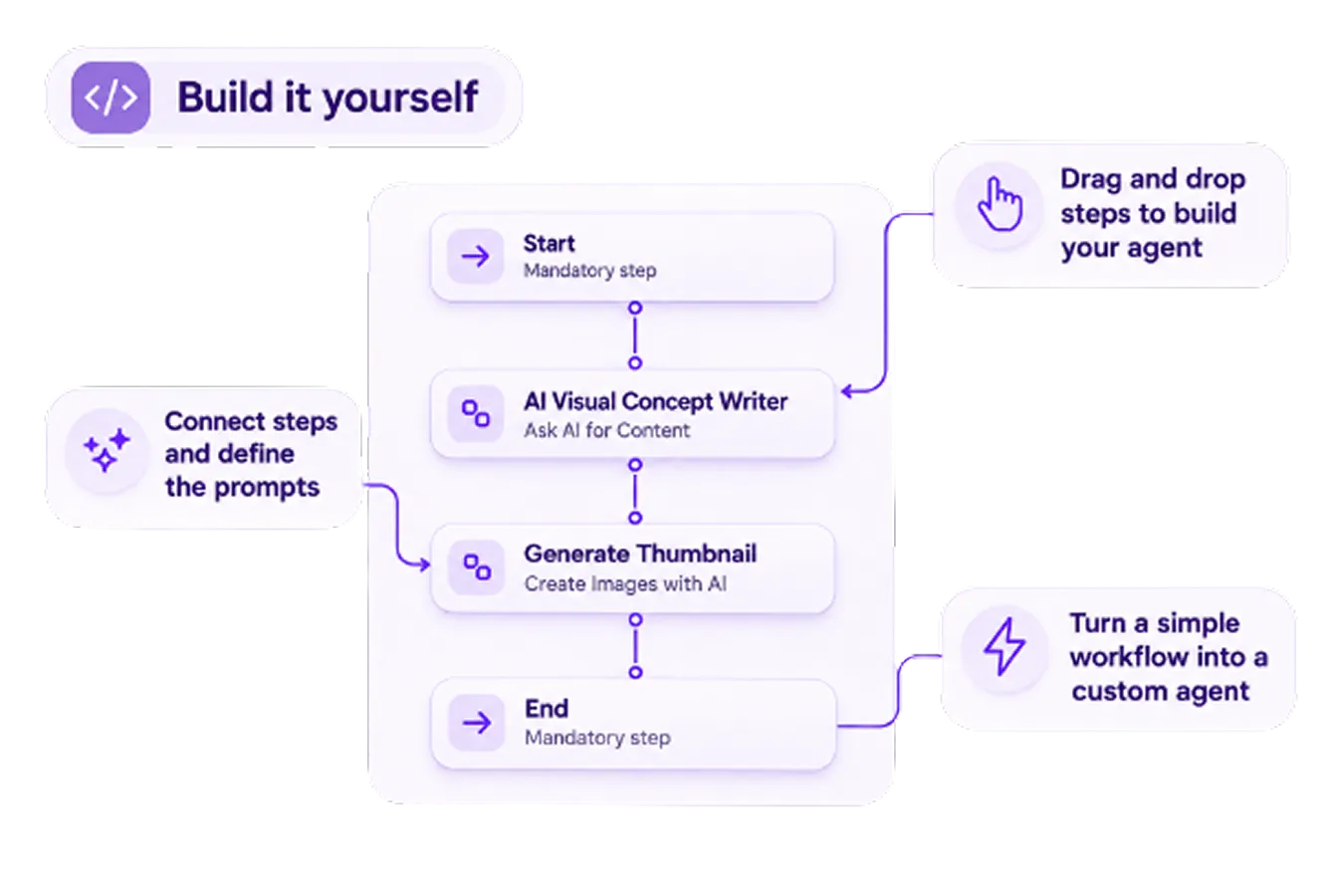
Build it yourself
Drop the steps in. Draw the line between them.
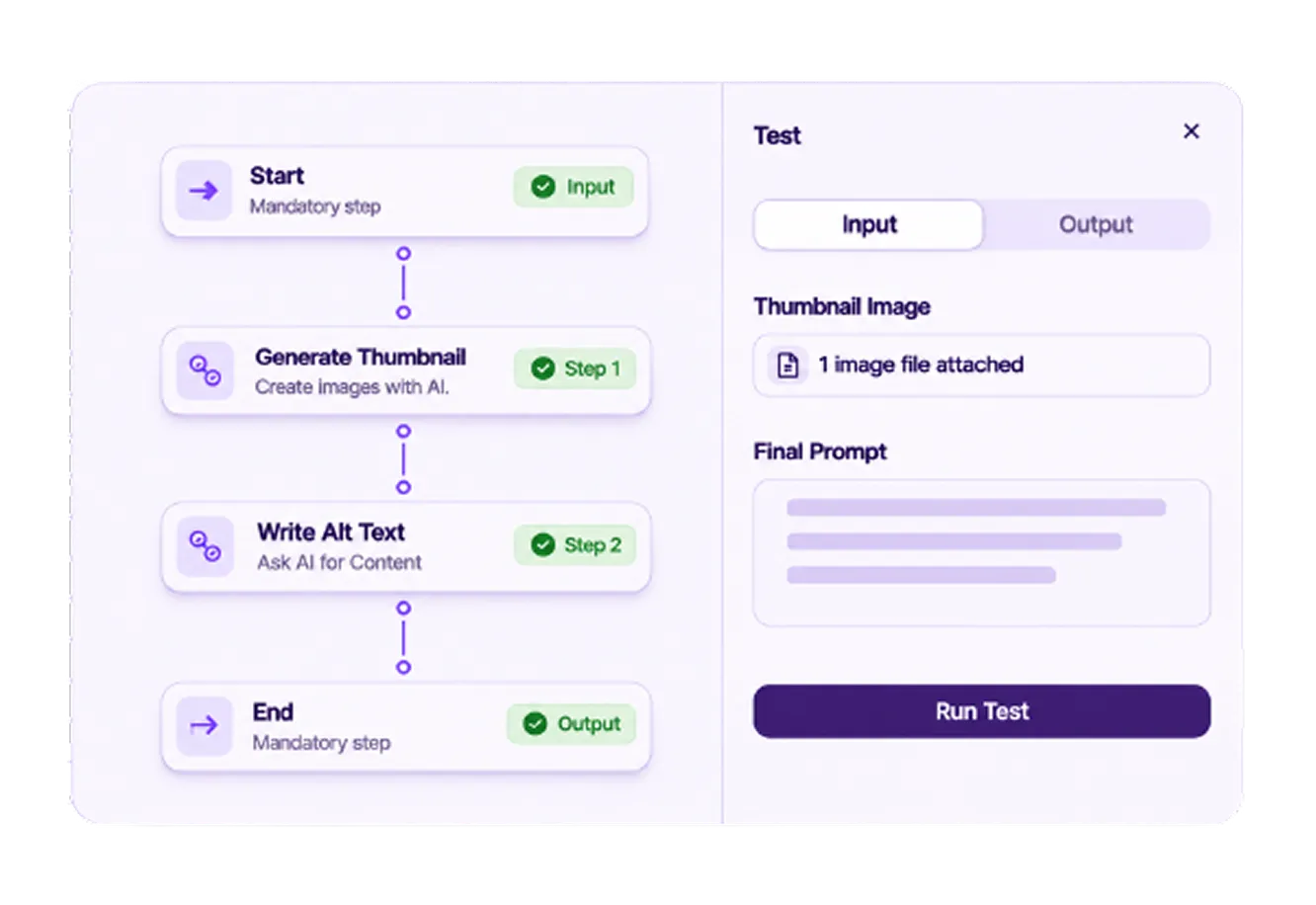
Every agent is a Start, an End, and your work in between. Drag in a step, wire the output of one into the input of the next, write the prompt. Most agents that make it to production are a straight line of five to ten steps. There's no save button, because the canvas saves as you go.
04
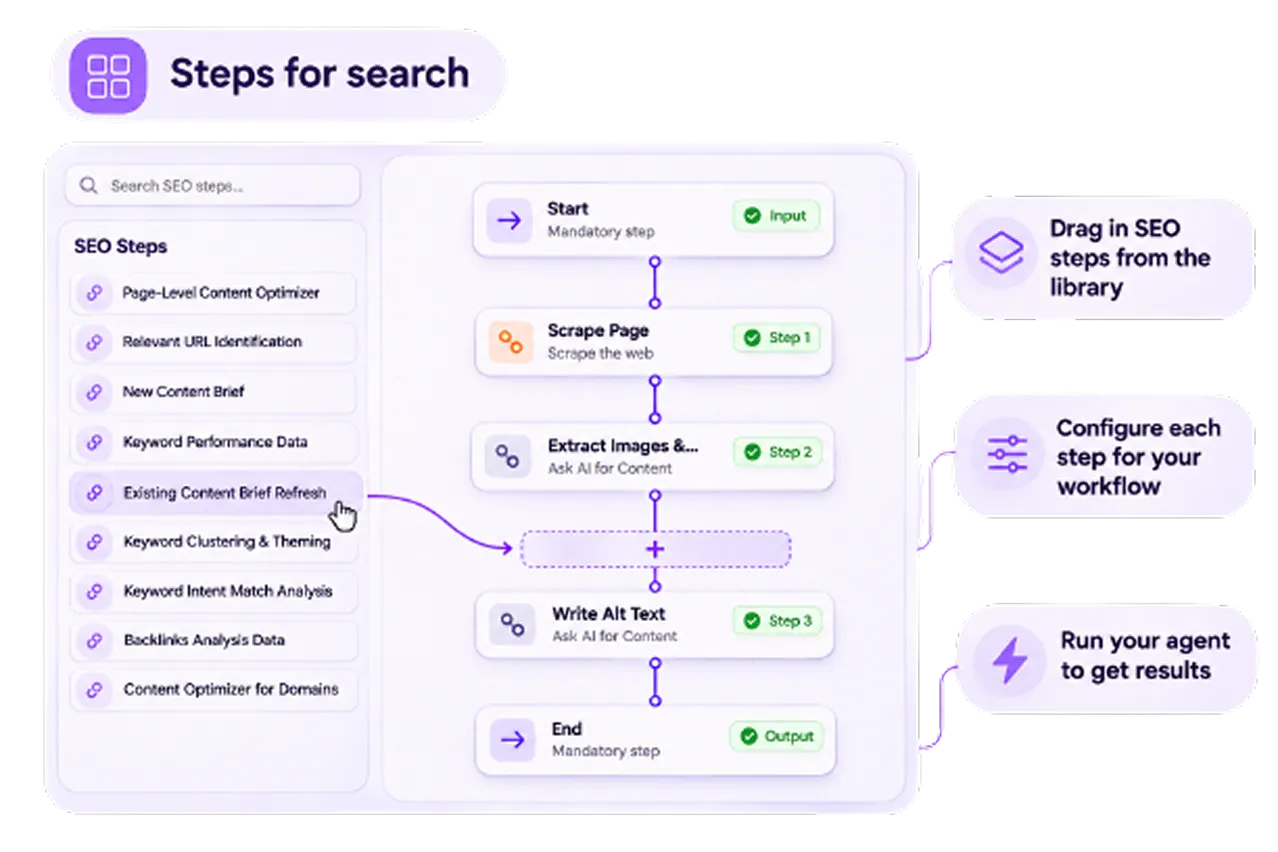
Use the steps built for search
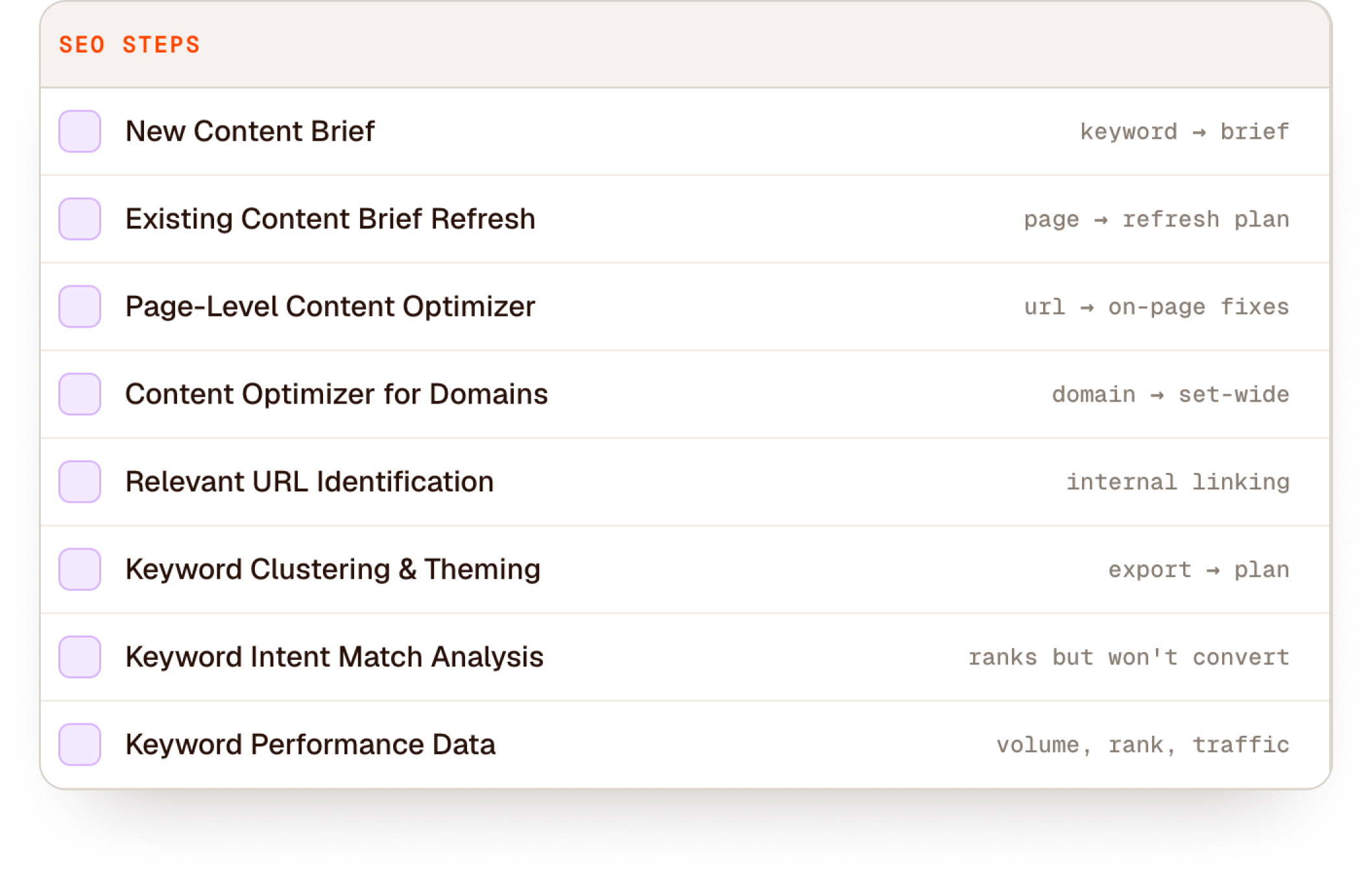
Nine steps that already know SEO.
The step panel has a group of nodes made for search work from day one. Drop in New Content Brief, Existing Content Brief Refresh, Keyword Clustering and Theming, Relevant URL Identification or Backlinks Analysis. Each one comes configured, so you only write prompts for the parts that are specific to your team.
05
Test before you ship
See what each step got, and what it gave back.
Test the agent on one input inside the builder. The panel shows what every step received and what it returned, so you find the step that drifted instead of guessing at the whole thing. Then publish. Publishing creates a version, and old runs stay pinned to the version that made them, so today's tweak never changes last month's output.
06
Compose bigger agents from smaller ones
Any published agent becomes a step in another.
A publish-a-piece agent calls your brief agent, then drafts from its output. A weekly content health check calls your audit-one-page agent inside a loop. Build small agents, test them on their own, then put them together. The embedded agent stays pinned to the version you added.

Agent Atlas
Atlas is the one Who calls them.
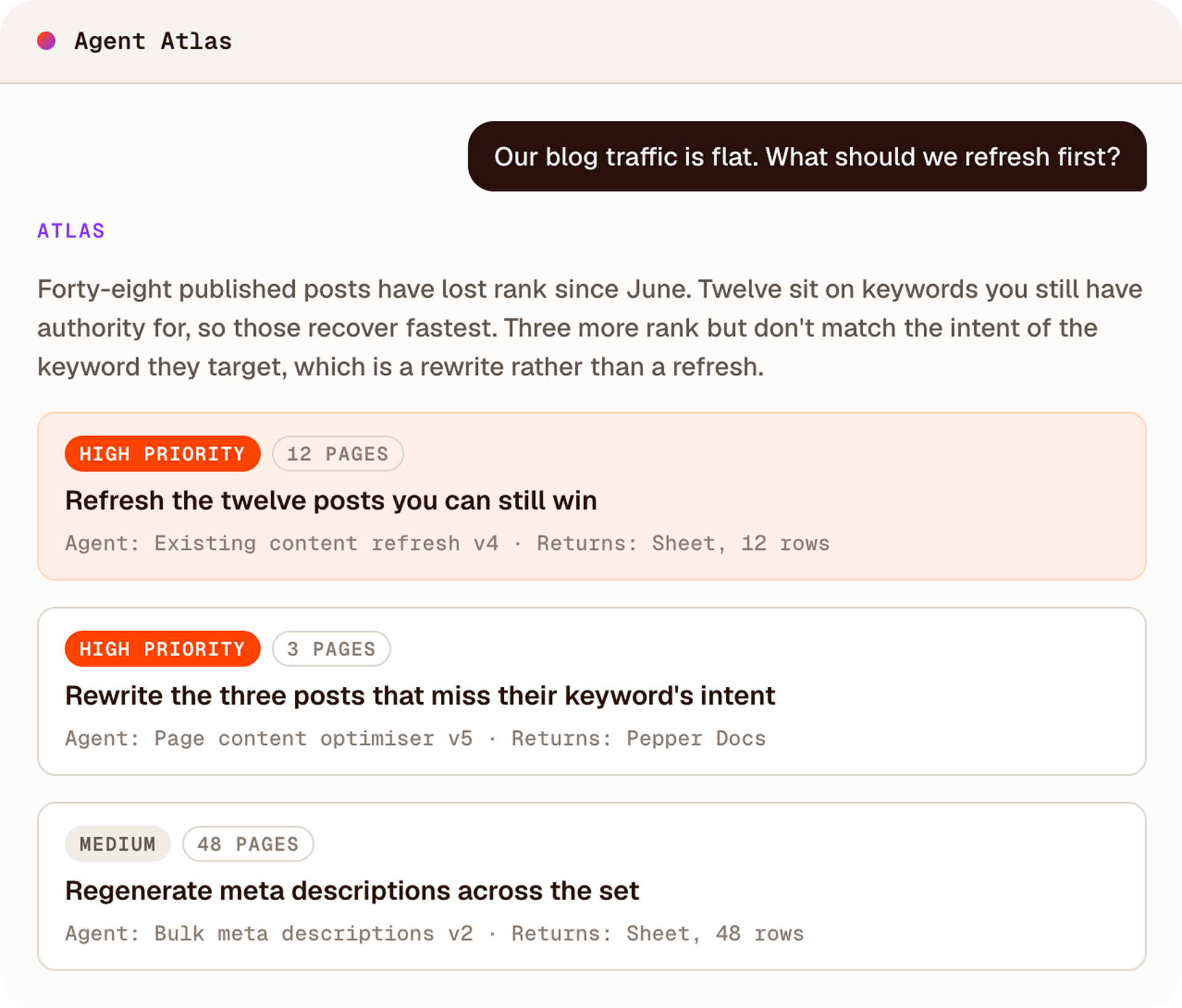
Agents do the work. Agent Atlas decides which work to do. Ask it what to fix this quarter and it reads your Pepper data alongside Search Console, Analytics and your CMS, then recommends specific actions.
Every recommendation names the action, the pages it applies to, the agent that carries it out, and what you get back. Recommendations are ranked by impact, and one click runs any of them. The output lands as a document or a sheet.
Agents handle the scale, people make the judgment calls, and one team owns the number.
Explore Agent Atlas
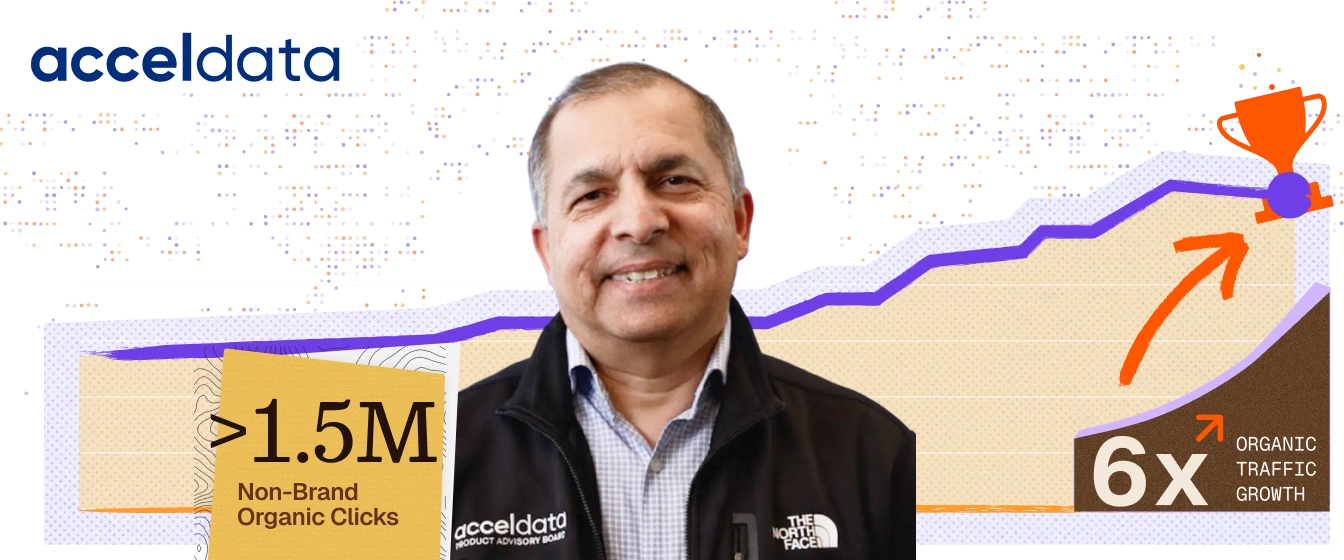
Numbers our customers put their name to
Numbers our customers
put their name to





More from the Pepper platform.
← Platform overview
Frequently Asked Questions
Agent Atlas is the chat layer of the Pepper platform, and it acts rather than answers. It diagnoses what changed, ranks pages by AI-visibility upside, benchmarks you against competitors, runs Workflows such as audits, briefs and reporting, and compiles reports for leadership. You ask Atlas instead of managing several agents.
Pepper measures your visibility daily across ChatGPT, Gemini, Perplexity and Google AI Overviews. Results are tracked per engine, per prompt and per day, so you see exactly where your brand appears and where it does not.
Every day. Your tracked prompts run against every supported engine daily, so the trend lines are built from daily runs rather than periodic snapshots. First results land within minutes of setup.
Every metric traces back to a verbatim AI response captured on a specific date, so you can open the actual answer behind any number. Pepper does not report a single blended score, because the same prompt run repeatedly returns different answers.
Atlas runs around the clock across every engine and surface Pepper tracks for you. It reads, executes and reports the work that should not need a human, and it reaches out whenever human judgement is needed. Senior strategists direct it.
Pepper does, alongside you. A forward-deployed team of senior strategists, people who work inside your team rather than at arm's length, run it day to day and own the number. You have full access to the same data and reports whenever you want them.

For businesses playing the long game, Pepper turns your earned authority visible to search & AI, making
organic growth winnable again.

Get a strategy presentation with real projections before you sign up.
i
*the long game is not about waiting.
It is about building something that keeps winning after everyone else's quick win wore off. And you will see it work within a quarter.