Workflows: Build the Work Once, Run It Forever
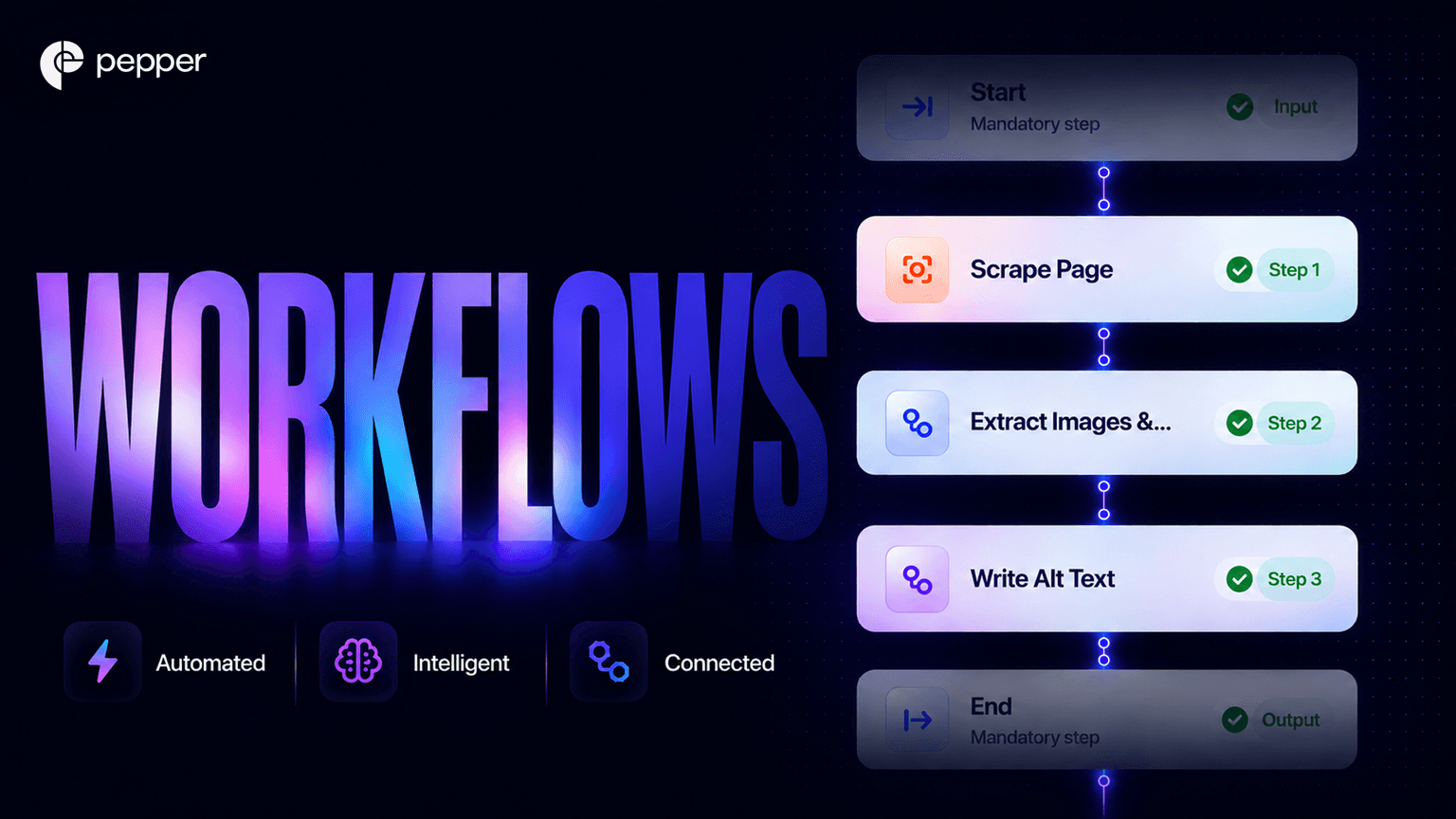
TL;DR: Most of marketing is not strategy. It is repetition, and winning AI search only created more of it. Workflows in Pepper’s GEO platform let you set a piece of content or SEO work up once, then run it whenever you need it. The part that changes how a quarter runs is Sheets. Put hundreds of inputs down the left and stack four or five workflows across the top. Each column reads the previous one’s output as its input, so a whole pipeline runs on every row without anyone driving it. Your sheets live inside Projects, which is what keeps a quarter of work legible in month three.
I want to start with the least glamorous observation I have about marketing teams, because it explains more of their results than any strategy deck does.
Most of the work is repetition. The same audit, the same brief, the same refresh, week after week. Strategy is the part everyone talks about and the smaller part of the calendar, and winning AI search added to the repetition rather than replacing it. Everyone knows the work. Almost nobody gets to the tenth run of it, because the tenth is always the one bumped for something urgent.
The gap between a team that knows the playbook and a team that runs it is rarely talent. It is whether the tenth repetition happens.
What is a workflow in Pepper’s GEO platform?
A workflow is a piece of content or SEO work set up once and run whenever you need it. You build it a single time, and it does the job the same way every time after. A content brief, a page audit, a rewrite, a metadata pass: each becomes a recipe anyone on the team can run rather than a task one person redoes from memory.
That last part matters more than the speed. A workflow is consistent, which counts for more than fast when the thing you are building is authority across a whole content library.
Two things sit in the Optimization section, and the difference is worth getting straight early:
- Workflows are the recipes. Each one does a defined piece of work.
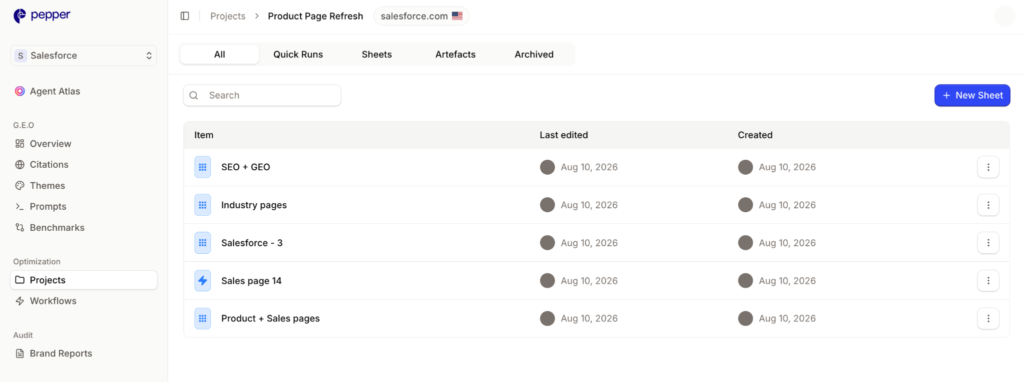
- Projects are where the sheets those workflows run in are kept, organised by the initiative they belong to.
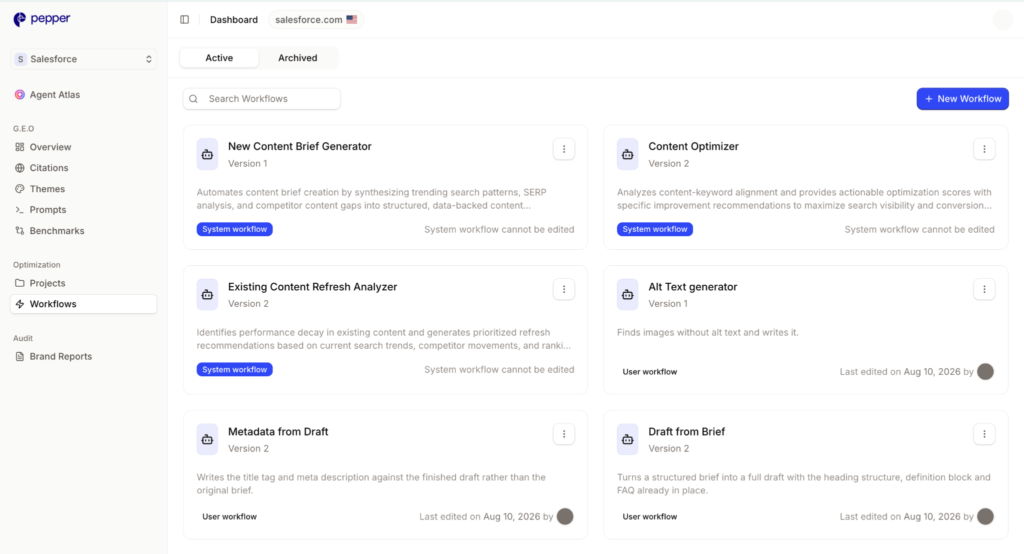
We ship a few to show what they can do. The real value is everything your team builds after, because those encode how your brand works.
Build it by describing the job
You do not have to assemble anything to start. Click New Workflow, give it a name and a short description, and you are in the Workflow Builder.
Then describe the job the way you would explain it to a colleague, and the copilot builds the whole workflow. Ask for a change and it adjusts. If you would rather shape it yourself, drag Tasks in from the side panel and connect them by hand. Power Tasks bundle several into one click.
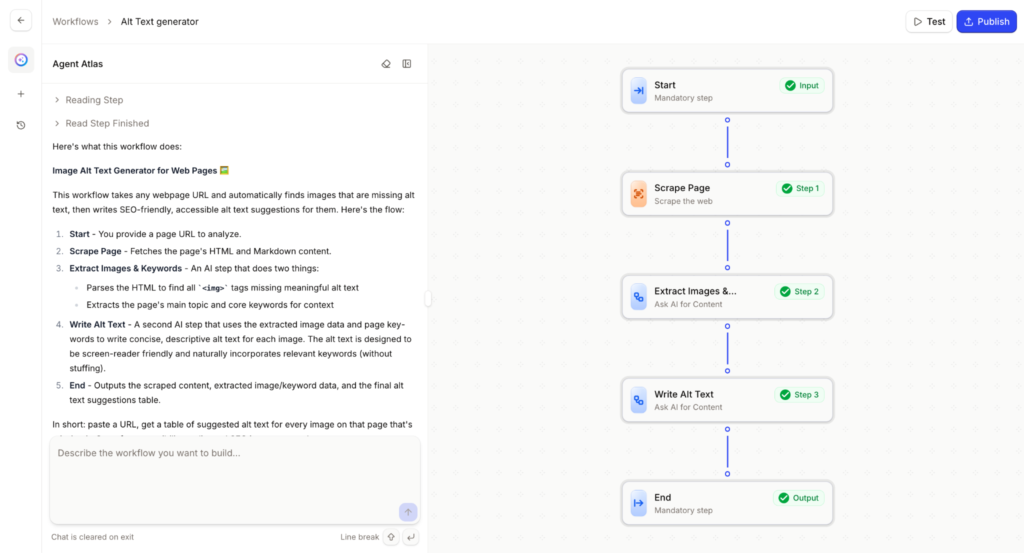
Idea to working workflow, in minutes. The reason we built it this way is deliberate: the person who understands your brand should be the person who builds the recipe. If it took an engineer, the judgment would drift to whoever was comfortable with the tooling. Where a step needs human sign-off, add a Human Step and the workflow pauses for review.
Test against a draft, not against your team
Before anyone else is affected, open Test. You get a form built from the workflow’s own input schema, so fill it with realistic sample data and run it.
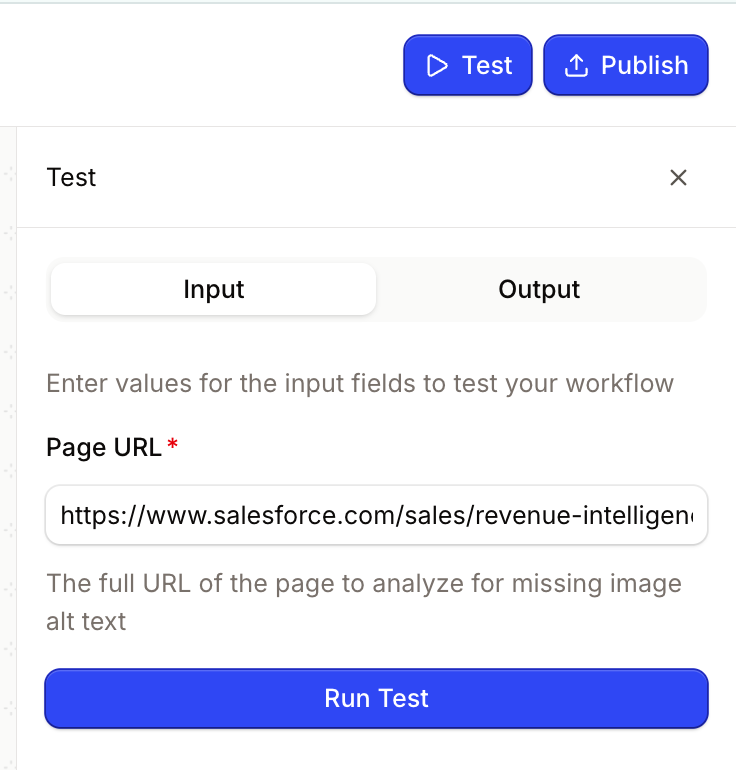
Test runs use your draft rather than the published version, so you can experiment without touching what the team is using. You can also target a single Task, so debugging the third of ten does not mean waiting for all ten.
Getting one right first time is rare. The loop that works is boring: one change, test with the same input, compare. When the draft beats what is live, publish. New runs pick it up with no migration step, and runs in progress finish on the version they started with.
Sheets: stack the workflows, then run hundreds of rows through all of them
This is the part that changes what a quarter looks like, and the reason a single workflow is not the unit of value.
A Sheet is a grid. Inputs go down the left, one per row, and you can paste hundreds of them straight out of Search Console, Ahrefs, or a spreadsheet. Work goes across the top as columns. Each column is a Task column carrying a workflow, and it runs on every row.
The important part is what happens when you add a second column. It reads the first column’s output as its input. Add a third and it reads the second. Stack four or five and you have an end to end pipeline running on every row at once, without anyone opening two hundred tabs.
For a content refresh, the chain might read across as:
- Column one: audit the page. Pull the URL, score it against the theme it should be winning across visibility, citability and retrievability, return the gap.
- Column two: write the brief. Take that gap as its input and produce the brief for the rewrite.
- Column three: draft it. Take the brief and produce the draft.
- Column four: check the structure. Verify the headings, the definition block, and the FAQ are shaped the way you would structure content for AI citation, so an engine will actually cite it.
- Column five: generate the metadata. Title and description, written against the finished draft rather than guessed at the start.
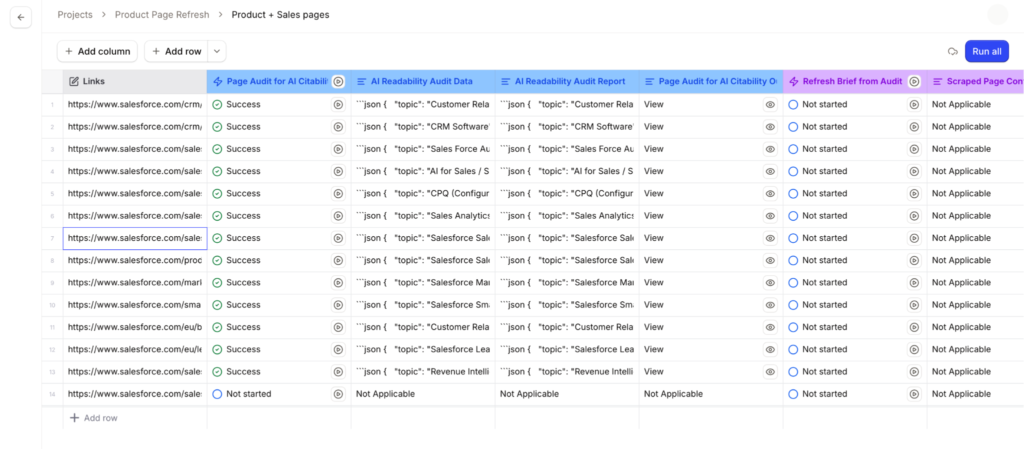
That is five jobs, on two hundred pages, from one paste. Set up once, and it is the same five jobs next quarter on a different two hundred.
Some behaviour worth knowing:
- Rows run in the background. You can close the tab and come back to a finished sheet.
- A failed row is flagged on its own rather than sinking the batch, so one bad URL does not cost you the run.
- Each Task column header shows which workflow and which version is wired into it, which is where to look when you are wondering whose recipe is running.
- Sheets pin to the version they were created on. A sheet built last week against version 3 keeps running version 3 after you publish version 4. That protects anyone mid-run, and it does mean an old sheet quietly keeps using an old recipe until somebody moves it.
The sheet is not a report on the run. The sheet is the run.
Projects: where the sheets live, and the quarter stays legible
Every sheet lives inside a Project, and that is the piece I would defend hardest in this whole release.
Organic is a long game, so the unit of real work is almost never one deliverable. A quarter is a handful of sheets, each carrying hundreds of rows, in service of one thing: the pricing page overhaul, the category push, the migration off the old CMS. Individually each is a batch of output. Together they are the record of what you did and why.
Without somewhere to keep them, that record does not survive a calendar. Month three cannot see what month one decided. A new joiner inherits loose sheets with no way to tell which belonged to which initiative. And when leadership asks what actually happened on the pricing page work, the honest answer is a search through Slack.
A Project makes the initiative the unit instead of the batch. Sheets stay grouped under the thing they were for, so the work is findable by purpose rather than by who ran it or in which week.
Three things follow from that, and they are why this matters more than it looks:
- The work outlives the person who did it. Knowledge stops leaving with whoever owned the account, and their replacement starts from something rather than a blank page.
- You can show the trail, not just the number. Which sheets ran, on what inputs, through which workflows, toward which goal. In a review that answers the follow-up question instead of inviting it. It is the same discipline behind what actually matters in AI search measurement.
- The compounding becomes visible. We say organic is the channel you own rather than rent, and that the work stacks. That is only true if you can see the stack.
Projects are deliberately lightweight. If none fits, make one, even for a single sheet. A hundred loose sheets are not an asset. The same hundred grouped by initiative are.
Start with the job you keep abandoning
Workflows are built to end in less work, not in a nicer interface. Three moves come out of them consistently:
- Pick the job you keep abandoning. Not the most exciting one, the one that gets bumped most often. That is where a recipe pays back fastest.
- Build one column before you build the chain. Get a single workflow right on one input, then stack the next one on top of it. A rough pipeline that runs beats an elegant one still in your head.
- Give it to the team. A workflow only one person can run is a bottleneck with extra steps.
For eight years we have run content and SEO for more than 250 enterprises, and the pattern that repeats is this: teams lose organic not to a shortage of ideas but to attrition. The plan is sound in January and half executed by March, because the work was never the hard part. Doing it for the fortieth time was. You can see what that stacked work compounds into in our Acceldata case study.
Everyone else built a mirror that tells you what to do. We built Atlas, an engine that does the work with you.
FAQ
What is a workflow in Pepper’s GEO platform? A workflow is a piece of content or SEO work set up once and run whenever you need it: a content brief, a page audit, a rewrite, a metadata pass. It does the job the same way every time, for anyone on the team.
Do I need technical skills to build one? No. Describe the job in plain language and the copilot builds the workflow, then adjusts it when you ask. If you prefer, drag and drop the Tasks yourself in the Workflow Builder.
Can I run more than one workflow on the same list? Yes, and that is what Sheets are for. Each column carries a workflow and reads the previous column’s output as its input, so four or five stacked together run as one pipeline across every row.
What is the difference between Workflows and Projects? Workflows are the recipes that do the work. Projects hold the sheets those workflows run in, grouped by initiative, so a multi-week piece of work stays together instead of scattering across the workspace.
What happens to existing sheets when I publish a new version? Sheets pin to the version they were created on, so a sheet built before your update keeps running the older workflow until it is moved. New runs use the new version with no migration step.
Take the repetitive half off your team
The work that decides your AI search results is the work that keeps getting bumped. Set it up once, stack it, and it runs whether or not anyone has a free afternoon.
See where you stand at pepper.inc, or book a demo.
Extended reading:
Latest Blogs
AI search optimization has four cost layers and only one of them has a price you can look up. Software is published, comparable and the cheapest. Agency retainers are published by exactly two firms. Earned media, which drives most AI citations, is priced by almost nobody. And the fourth layer, doing it with your own people, turns out to have no market rate at all. A study of 3,900 SEO job listings found that just 6.3% of senior roles mention AI search, and published salary figures for the same job title differ by 76% between sources.
We re-read every published GEO agency price on 25 September 2026, fifteen days after our own benchmark first recorded them. All four held, which is worth knowing on its own because the software side of this market has been withdrawing prices all quarter. The more useful finding came from the one agency that publishes volumes alongside price. Ten blog articles at $3,000 a month and forty at $8,000 works out at $300 and $200 an article. That is a content production contract with a GEO label, and the citation evidence says content you own accounts for a small minority of AI citations.
Our own benchmark of 30 published prices already answers what GEO costs. This answers the different question, which is what you should budget and where it should go. Two numbers decide it. A study of more than 25 million cited links found earned media drives 84% of AI citations while paid and advertorial content drives 0.3%. And the Gartner CMO survey of 401 CMOs puts marketing at 7.8% of revenue with SEO the largest single line inside owned and earned digital. Put those together and the answer is that GEO is not a new budget line at all. It is a reallocation, and most teams are making it in the wrong direction.
Get your hands on the latest news!